
DIAN electronic invoicing
Every invoice with its DIAN status, in plain sight.
On all three plans: 150 documents a month on Starter, 1,000 on Business and unlimited on Enterprise. Electronic payroll from Business up.
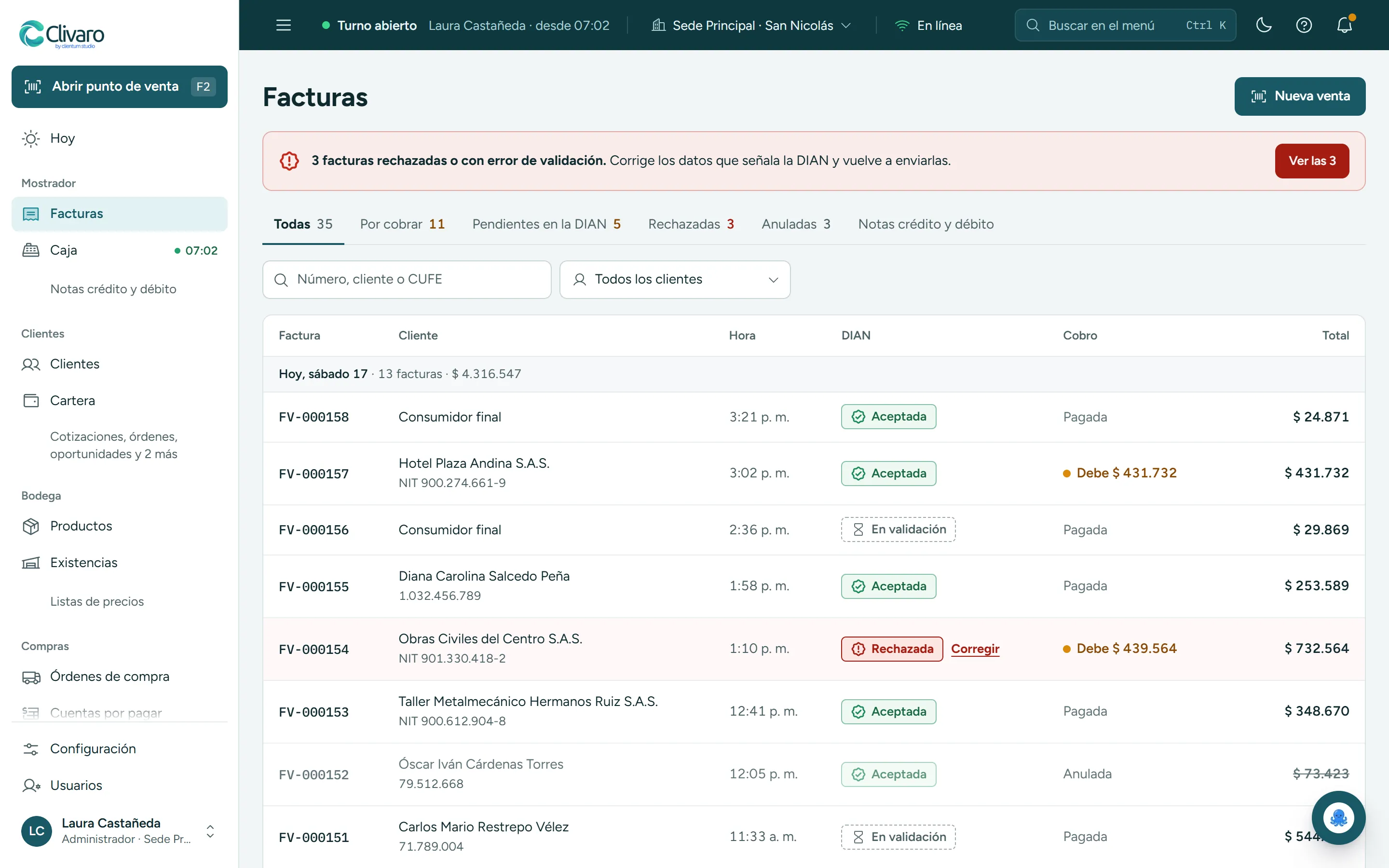
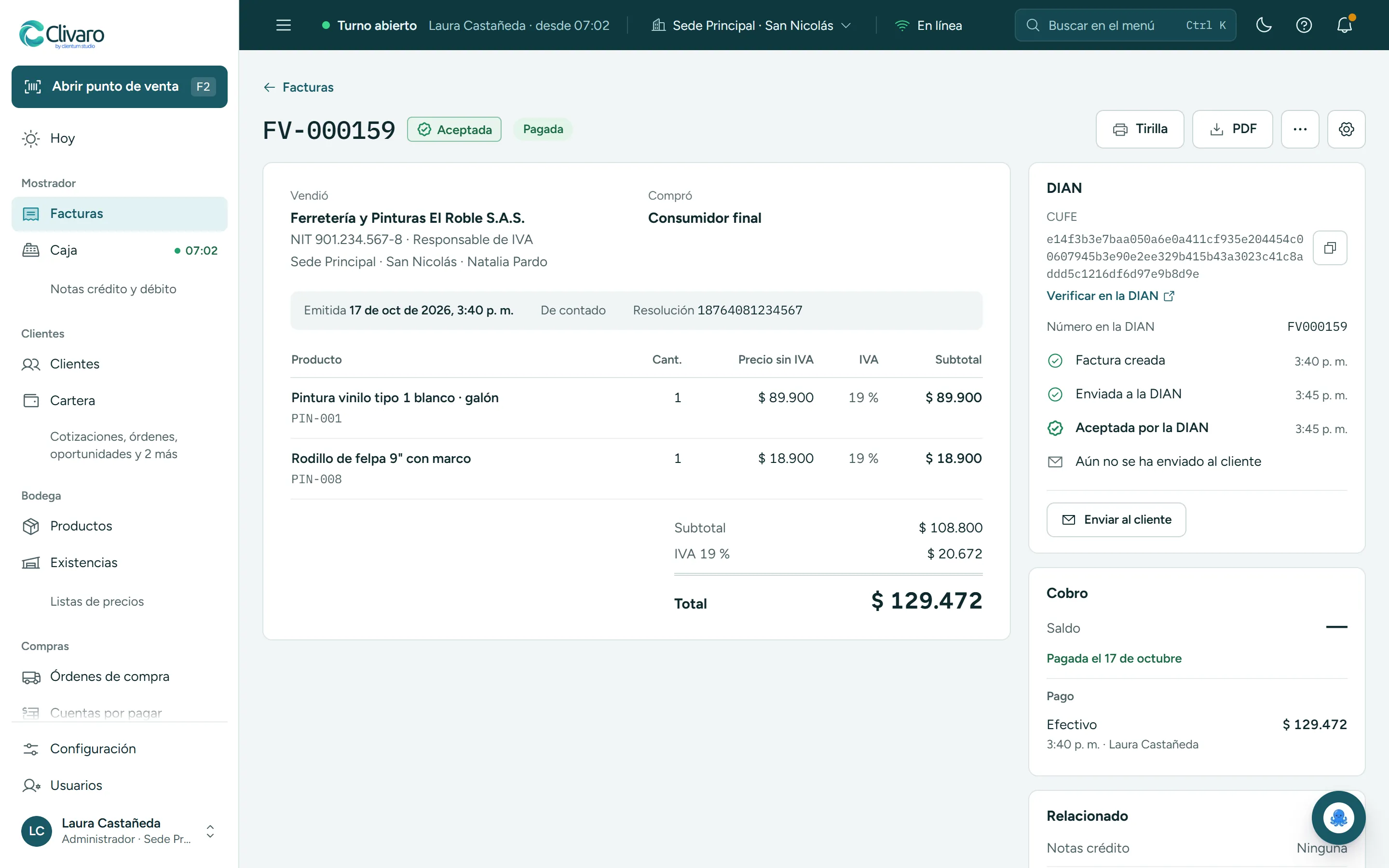
What the DIAN rejected, first
If the DIAN rejects an invoice, Clivaro flags it at the top and tells you what to fix before resending it.
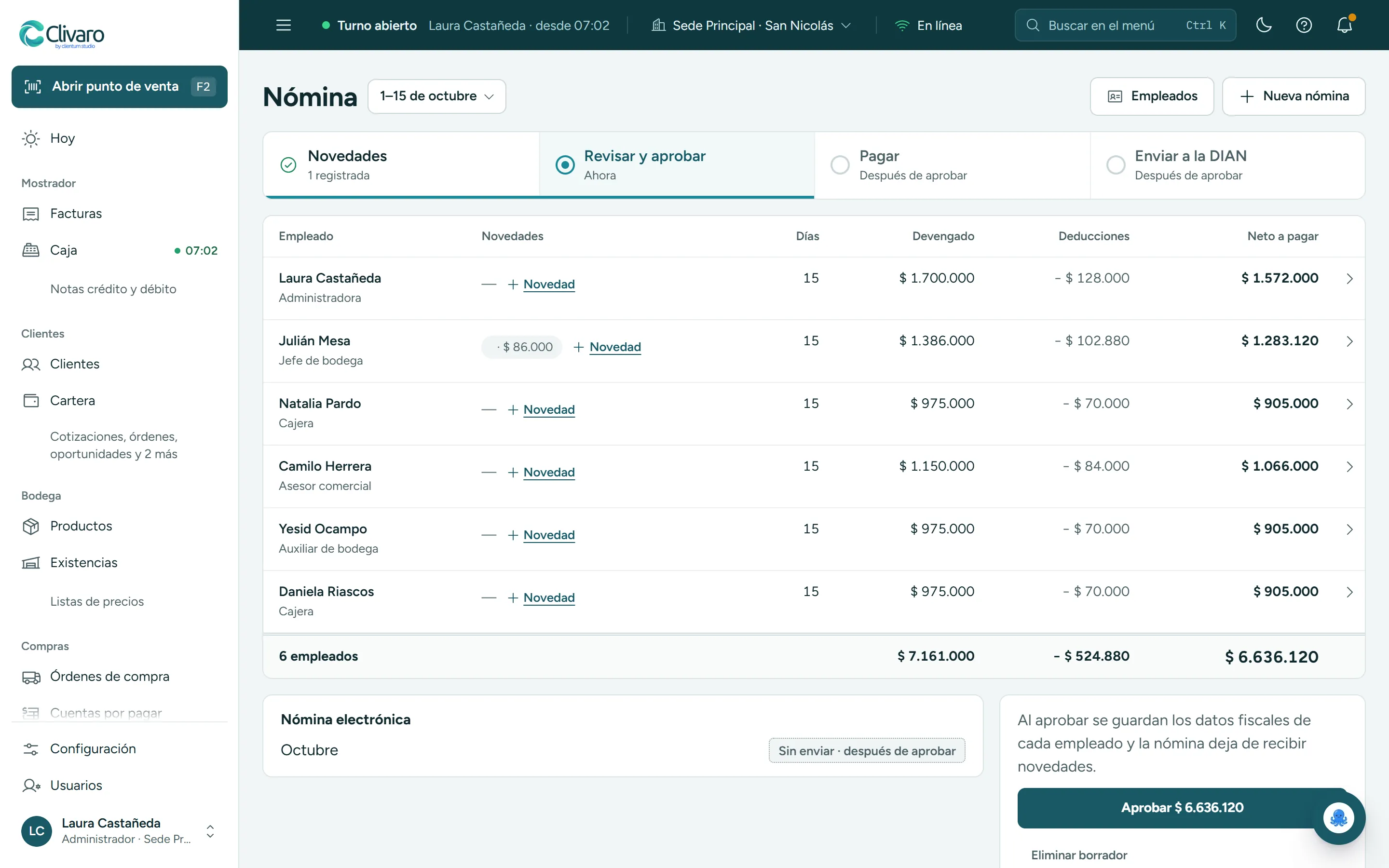
See full screenshotWhat it looks like inside. Invoice your sales, issue credit and debit notes and send electronic payroll to the DIAN, Colombia’s tax authority. If the DIAN rejects something, Clivaro tells you why.
The status of every invoice
Accepted, being validated or rejected, and whether you’ve been paid or are still owed.
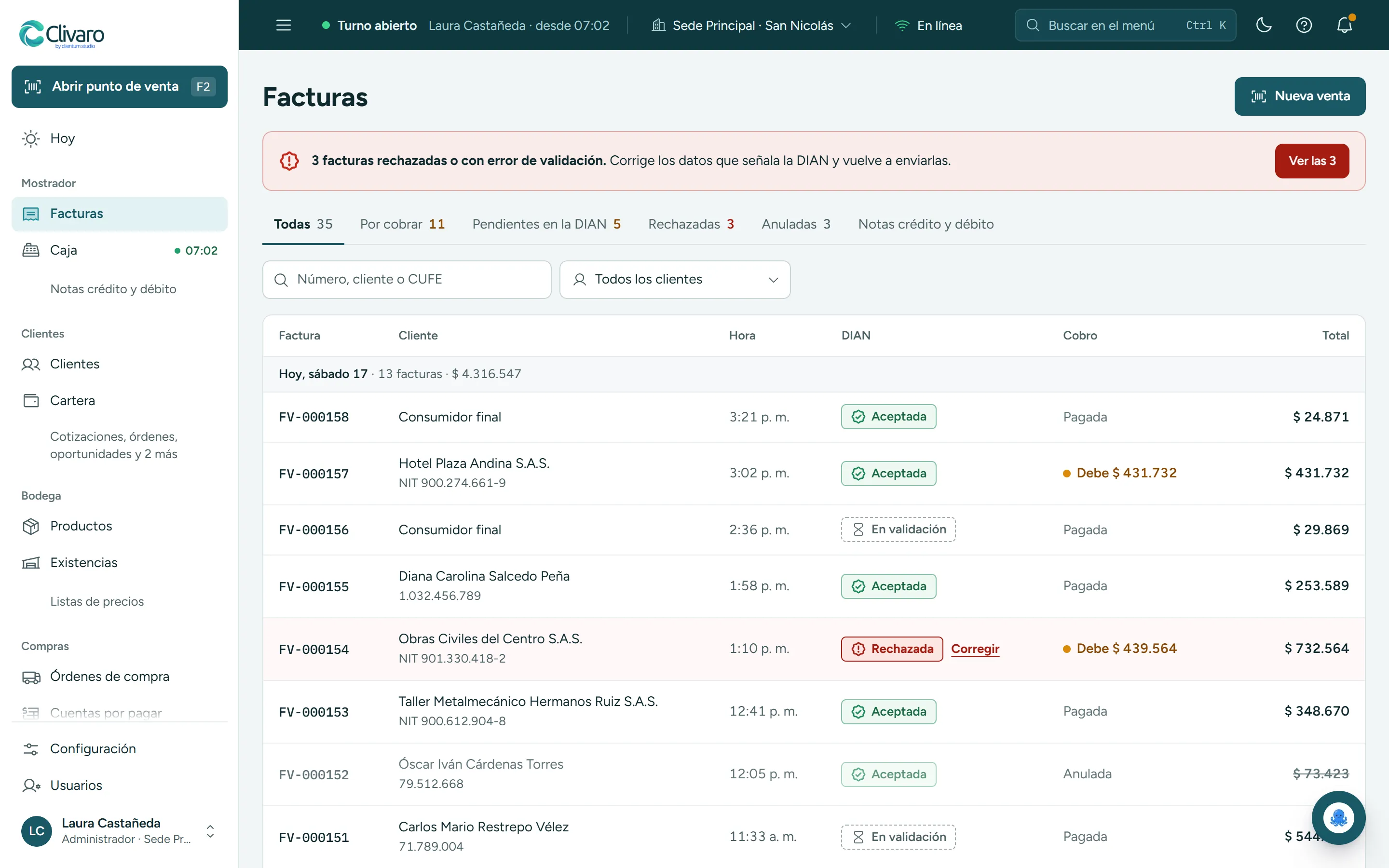
Acceptance, with its CUFE
The time it was sent, the time it was accepted and the link to verify it with the DIAN. Then the customer gets it with its PDF and XML.
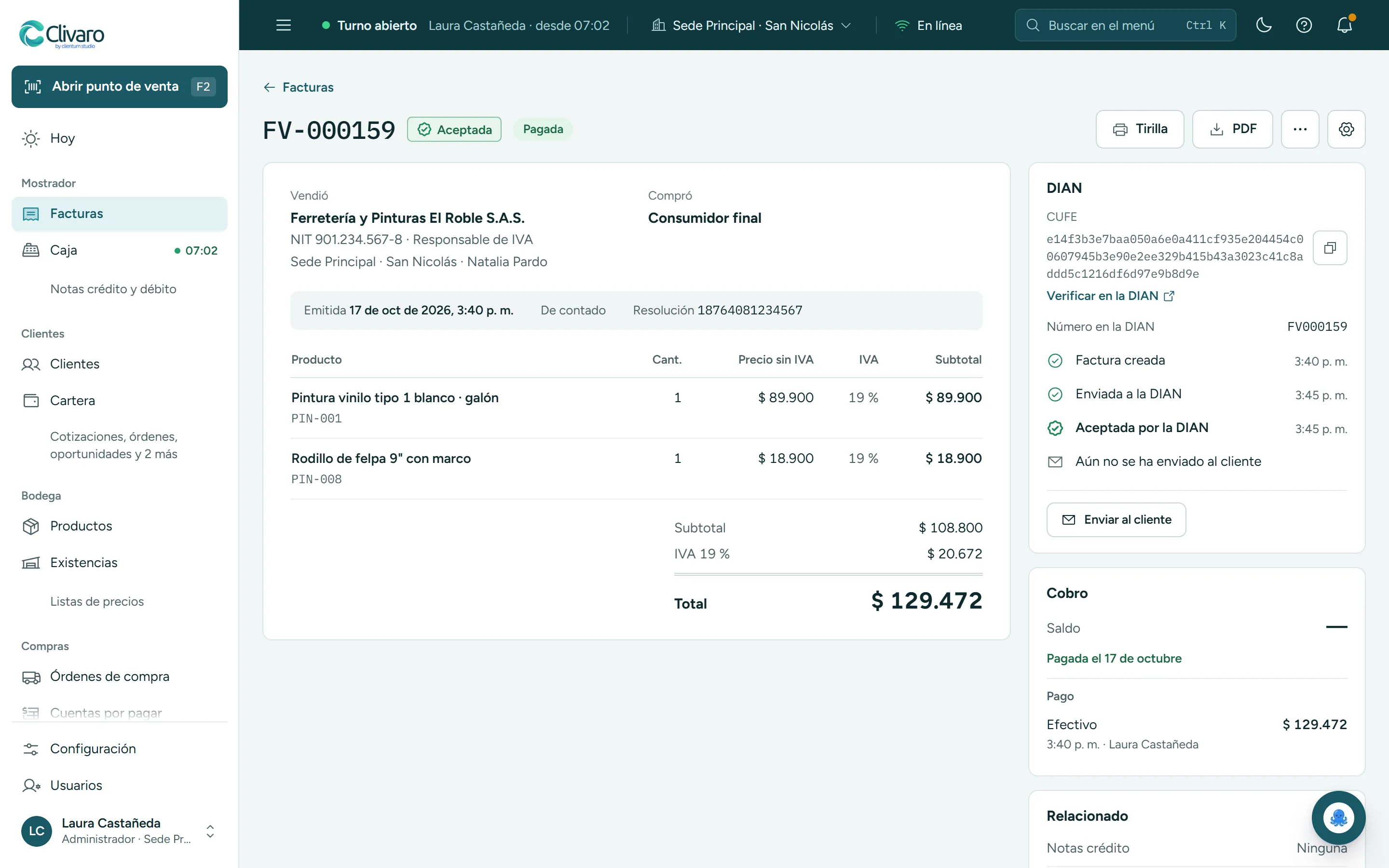
Electronic payroll
Changes, approval, payment and sending to the DIAN in four steps. From the Business plan up.
Works with

DIAN
Invoices, credit and debit notes and electronic payroll, each with its CUFE (the DIAN’s unique code) and its status.

Factus
The technology provider through which every document reaches the DIAN.
To the customer, by email
When the DIAN accepts the invoice, the customer receives it with its PDF and XML.
What’s included
On all three plans: 150 documents a month on Starter, 1,000 on Business and unlimited on Enterprise. Electronic payroll from Business up.
See the plans- Electronic invoicing on all three plans
- The DIAN status on every document
- Rejection alerts with the reason
- Credit and debit notes from the invoice
- Quotes and orders invoiced in one click
- Sent to the customer with the PDF and XML
- Receivables aging and a credit limit per customer
- Electronic payroll from the Business plan up
Connects with
What happens here flows into these modules automatically.

Shall we look at it with your business?
We’ll show you electronic invoicing with your own products.