Skip to content
Clivaro
Pricing
Sign inTry it free
SolutionsPoint of sale

Point of sale

Ring up sales fast at the counter, even when the internet goes down.

Try it free for 7 daysMessage us on WhatsApp

Included in every plan.

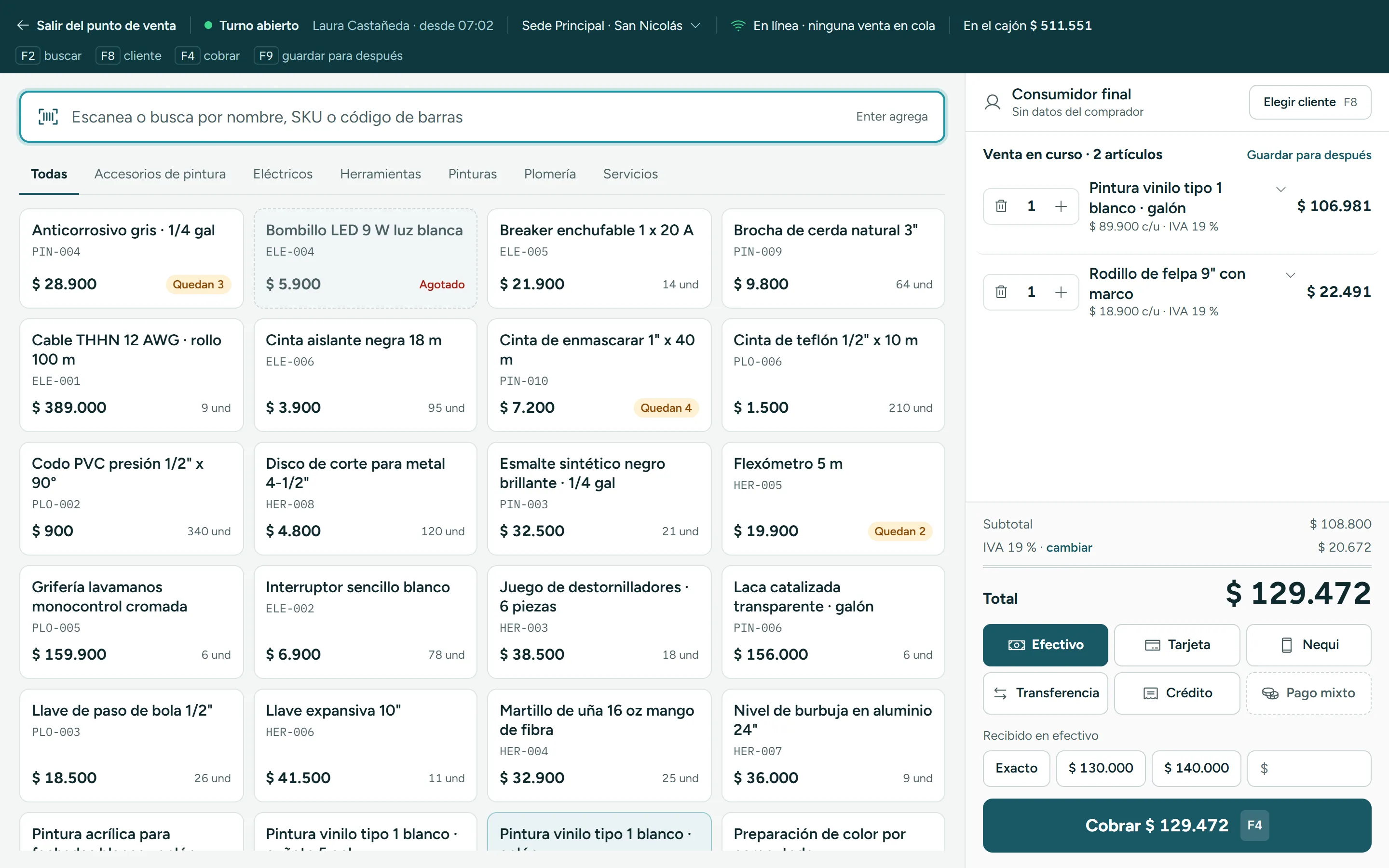
Clivaro’s point of sale with the product search, the catalog by category and a two-item sale.

Find products and build the sale

Scan the barcode or search by name or SKU; every product shows its price and how many are left.

See full screenshot

What it looks like inside. Scan or search by name, build the cart and take payment however customers pay. Every sale takes stock off inventory and adds to the shift’s cash.

Find products and build the sale

Scan or type: the product goes into the cart with its price and VAT (IVA). F2 searches, F8 picks the customer and F4 takes payment.
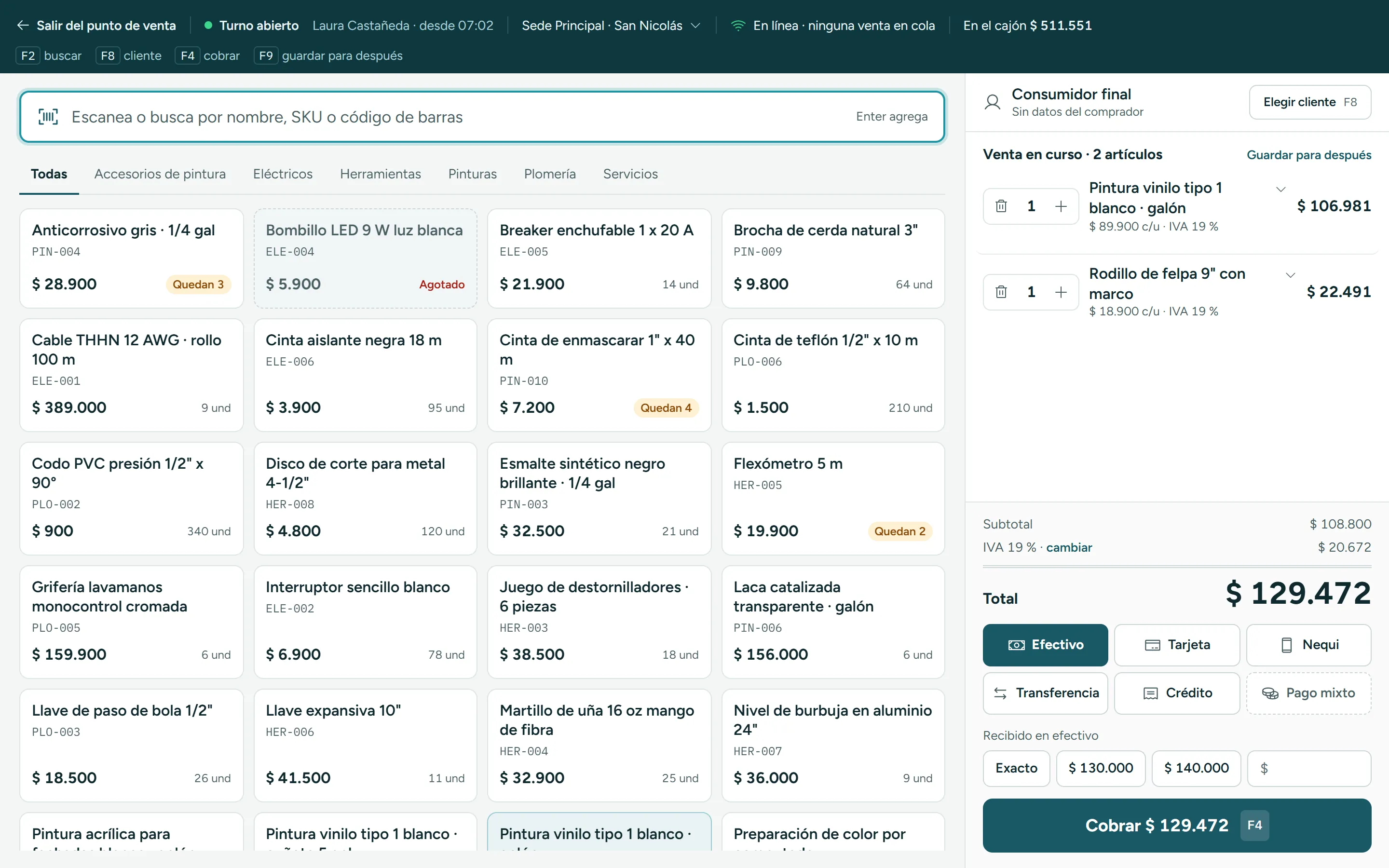
Point-of-sale search and product catalog with price and units available.

Take payment however they pay

Cash, card, bank transfer or split payment, plus any methods you add, such as Nequi or store credit.

Sale total with the payment methods and the Charge button.

The register balances itself

Opening cash, cash sales, money in and money out: Clivaro tells you how much should be in the drawer, and at closing you count bills and coins.
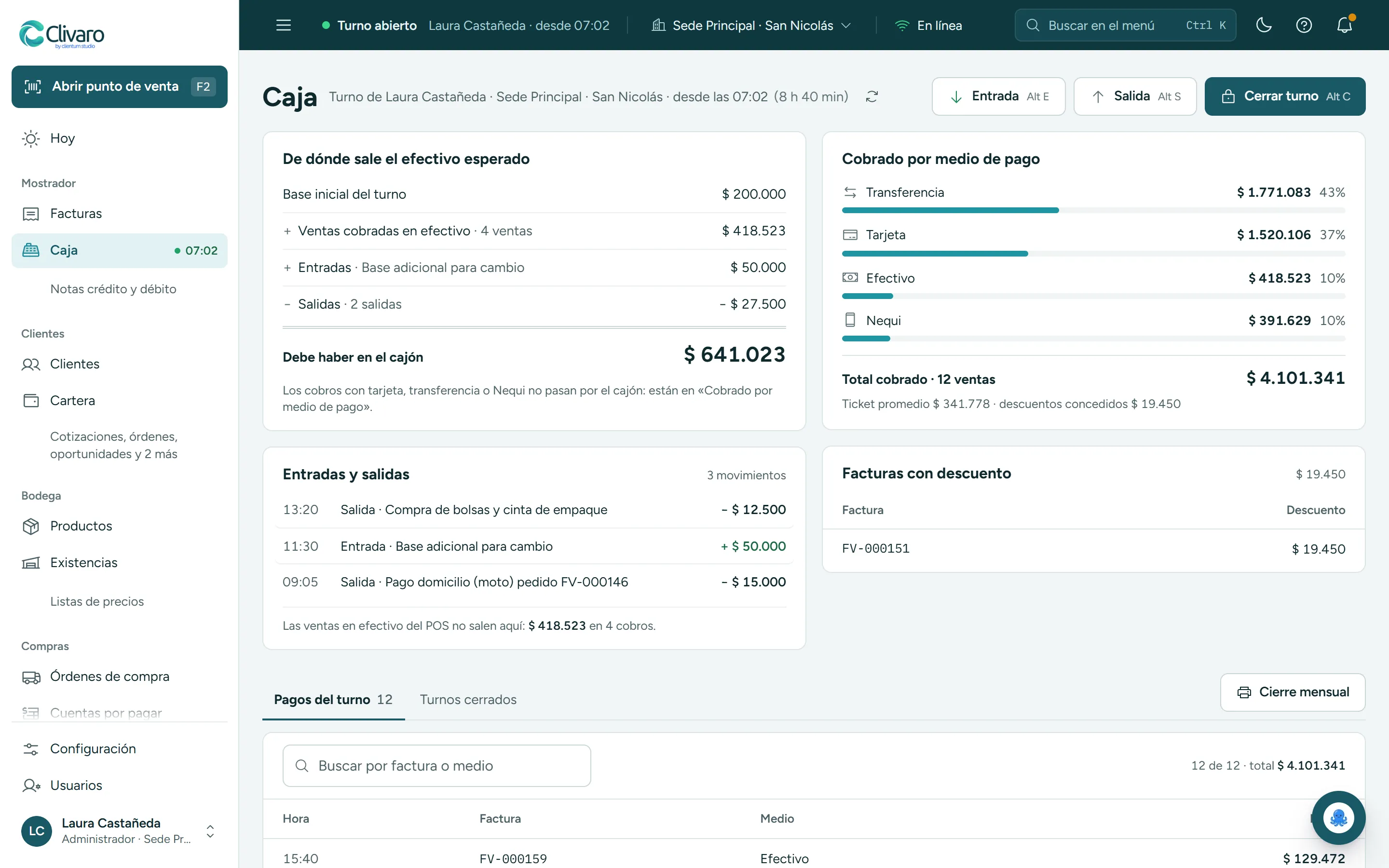
Calculation of what should be in the drawer from the opening cash, the sales and the movements.

No internet? Keep selling

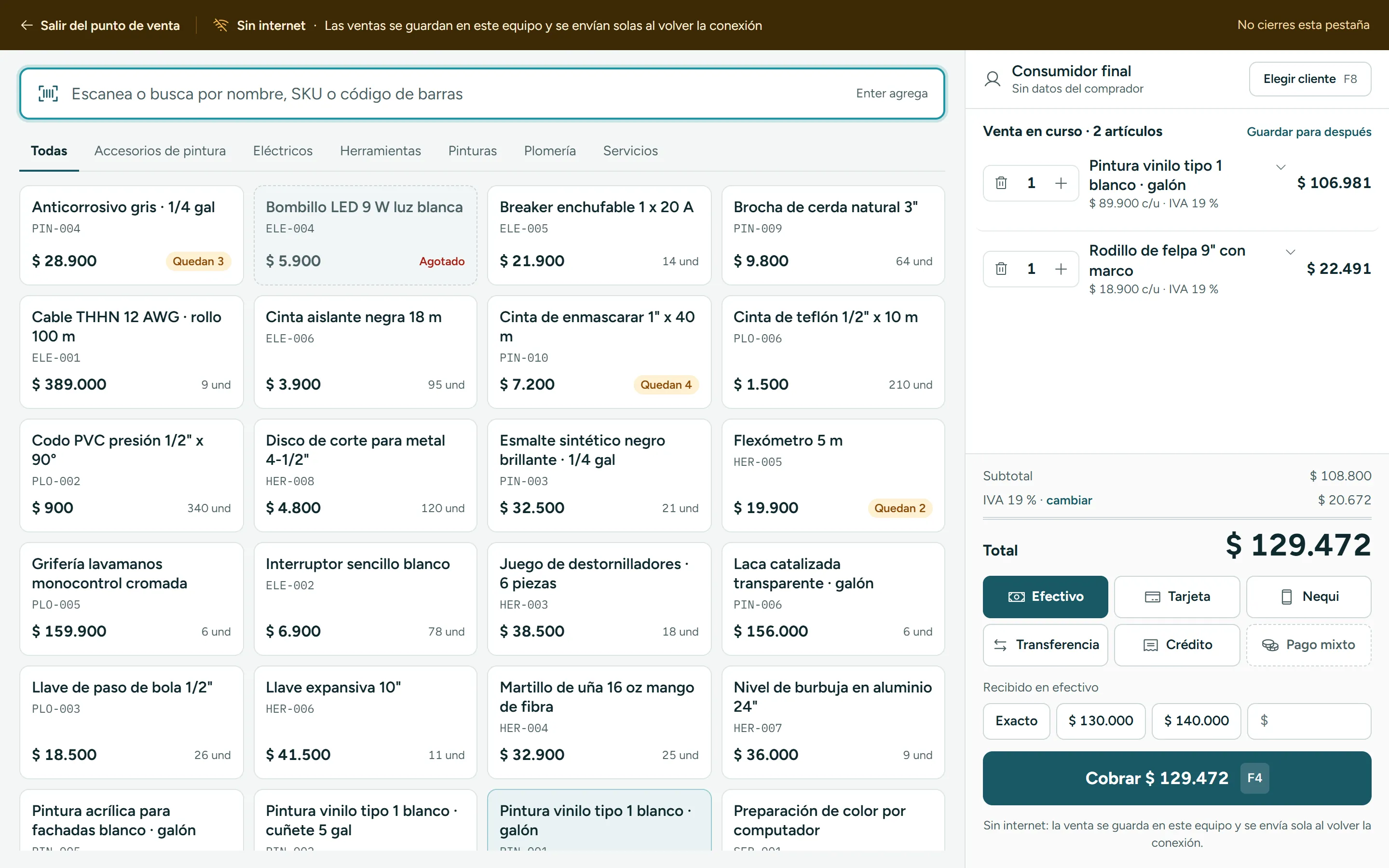
If the connection drops while the register is open, the sale is saved on the device and sent automatically when it’s back.
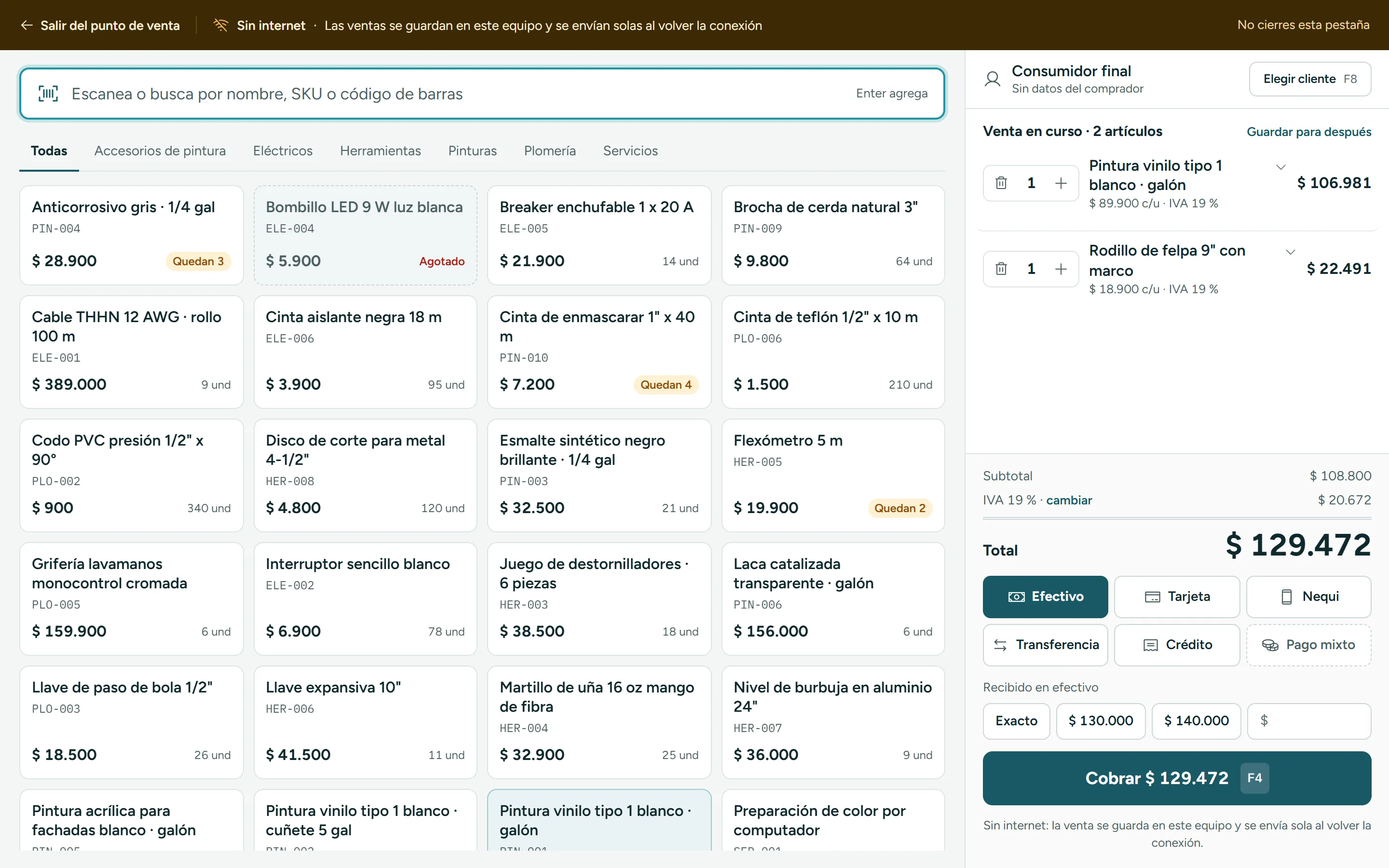
Offline point-of-sale notice: sales are saved on the device.

Works with

  • Barcode scanner

    Scan and the product goes into the cart. You can also search by name or code.

  • Receipt printer

    58 or 80 mm thermal printer over USB. The invoice prints with its DIAN QR code.
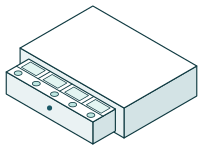
  • Cash drawer

    Connected to the printer, it opens by itself when the receipt prints.

What’s included

Included in every plan.

See the plans
  • Search by name, SKU or barcode
  • Keyboard shortcuts to search, pick the customer and take payment
  • Cash, card, bank transfer and split payment
  • Nequi, store credit or any other methods you add
  • Park a sale and pick it up later
  • Discounts only with permission or a supervisor’s approval
  • Offline sales that are sent automatically when the connection returns
  • Cash register shifts with a bills-and-coins count

Connects with

What happens here flows into these modules automatically.

  • InventoryKnow what you have, where it is and what to order.
  • Electronic invoicingEvery invoice with its DIAN status, in plain sight.
  • Clivi AIAsk your business a question and get an answer with your numbers.

Shall we look at it with your business?

We’ll show you the point of sale with your own products.

Message us on WhatsAppTry it free for 7 days

Try it for seven days. No card, no long-term contract.

Try it free for 7 daysMessage us on WhatsApp

Solutions

  • →Clivi AI
  • →Point of sale
  • →Electronic invoicing
  • →Inventory
  • →Products and pricing
  • →Accounting
  • →CRM and campaigns
  • →Clivaro Connect

Clivaro

  • →Pricing
  • →FAQ
  • →Sign in

Legal

  • →Terms and conditions
  • →Privacy policy
  • →Email support

Our legal documents are available in Spanish.

© 2026 Clivaro by Clientum Studio. Cali, Colombia.

You sell, Clivi connects the rest.

Build a sale and ring it up. Watch the receipt print, inventory go down and the cash drawer add the payment, with nothing typed by hand.

Counter

Current sale

  • White paint · gallon1COP 68,000
  • 9-inch roller1COP 18,500
Subtotal COP 86,500VAT (IVA) 19% · COP 16,435
TotalCOP 102,935

What happens on its own

Inventory

Every product sold comes off its warehouse.

Cash register

Should be in the drawer

COP 100,000

Opening cash COP 100,000

Invoice

Every sale gets its own invoice number.

Build the sale and ring it up.